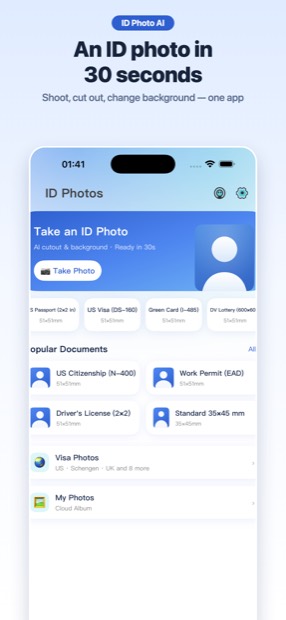
Take a selfie, get a compliant passport or ID photo in 30 seconds. AI cuts the background, you pick the size and color — everything is processed on your phone, nothing is uploaded.
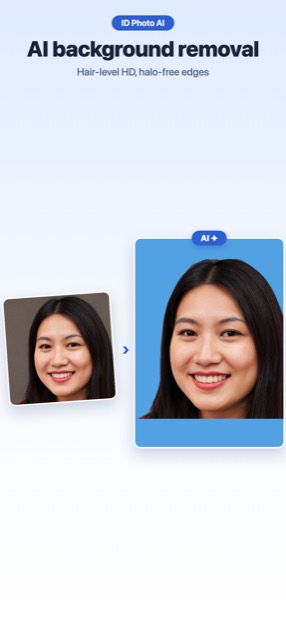
Hair-level cutout in one tap, then choose white, blue, red or any custom background color.
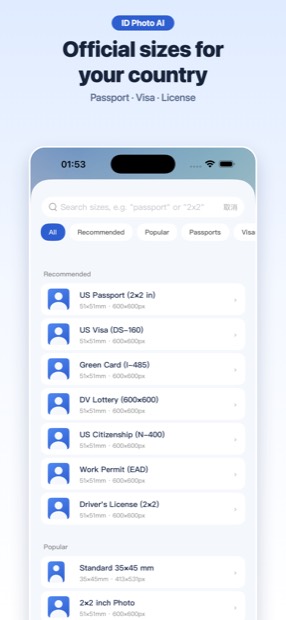
40+ country formats
US passport 2×2 in, green card, Schengen visa 35×45 mm, Japan 履歴書, Korea 반명함 and more — sized to the official spec.
Exact file size
Meet online application limits: export at a target KB (e.g. ≤240 KB for DS-160) with exact pixel dimensions.
Formal attire
Swap your T-shirt for a suit or blouse with one tap when the occasion calls for it.
Print sheet
Arrange copies on a 4×6 in sheet and print at any photo kiosk or drugstore for pennies.
100% private
All processing runs on-device. Your face never touches a server.
Popular documents
US passport & renewal (2×2 in / 600×600 px)
Green card / citizenship / naturalization
DV lottery (600×600 digital)
US visa DS-160
Job applications & résumé headshots
Employee badge, school and club ID cards
Driver's license and state ID: the DMV takes that photo, not you. US states photograph applicants at the counter — California's own checklist for a driver's license reads “Have your thumbprint scanned. Pass a vision exam. Have your photo taken.”, and New York requires a visit to a DMV office to have the photograph taken. There is no way to submit your own photo, and 2×2 in is a passport/visa size, not a license size. Everything else on this page — passport, visa, green card, DV lottery, job applications — you can still shoot yourself.Sources: California DMV · NY DMV
Shadows on the background. Stand about 50 cm away from the wall and face a window — a shadow behind your head is the single most common rejection reason.
Wrong head size. US rules require the head to fill 50–69% of the image height (about 1 to 1⅜ inch from chin to crown). The app enforces this ratio automatically.
File too large. The DV lottery rejects anything over 240 KB. Set a KB cap when exporting rather than resaving repeatedly.
FAQ
Is it really compliant?
Each preset follows the official specification (head size, margins, background). Strict documents also show a no-retouch reminder.
Do my photos get uploaded?
No. Background removal and editing run entirely on your iPhone. The optional cloud album uses your own iCloud.
Can I print at a store?
Yes — export the 4×6 in print sheet and have it printed anywhere (Walgreens, CVS, any kiosk).